
01
Management
Where should we focus?
A shared view of operations to choose what to review first.
ELCware / Industrial software + hardware
Connect your machines through ELC boards. See status, downtime and operating indicators in one dashboard, and find where to focus your next improvement.
For teams that need to understand what happens on the factory floor.
ConnectThe signals from your machines.
UnderstandWhat happens in production.
DecideWhere to focus your efforts.
01 / See the software
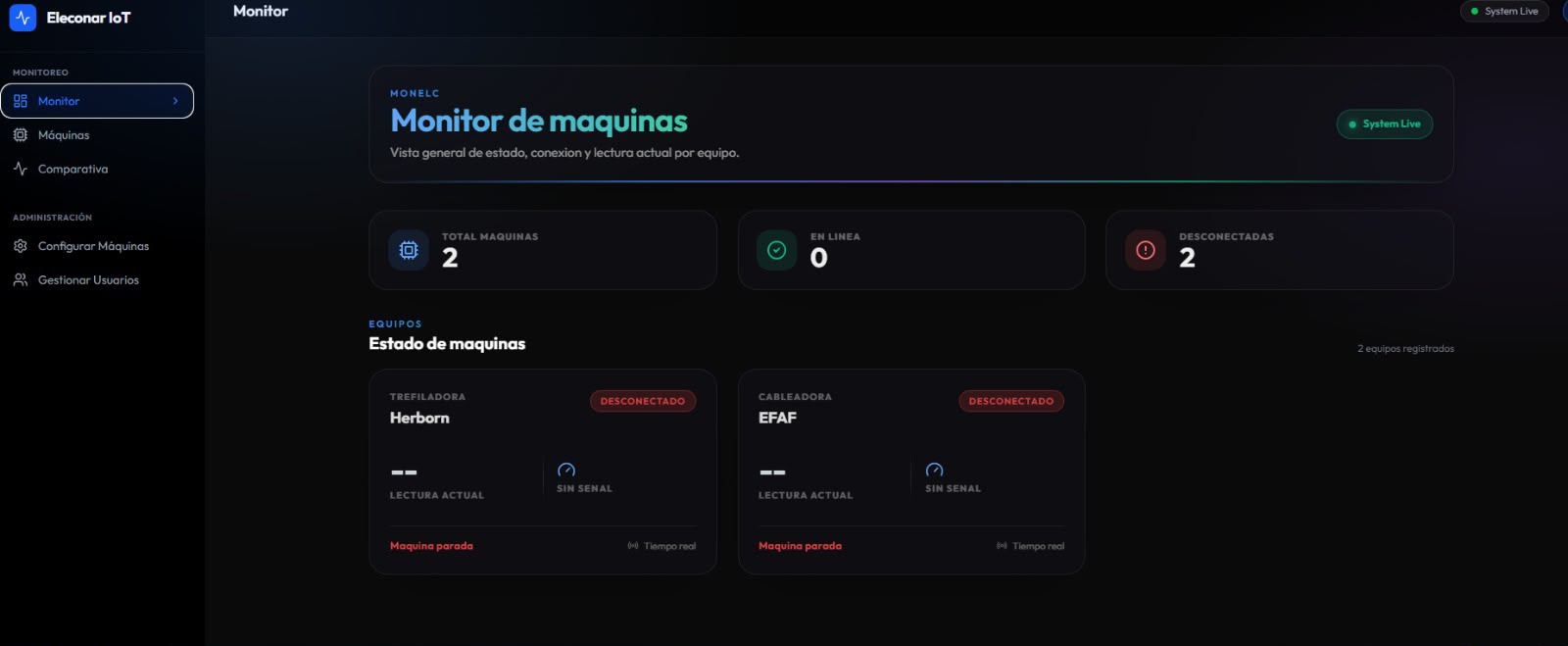
One dashboard for checking machine status and connectivity. This is an actual screenshot of the platform: enlarge it for a closer look.
Try a stop. See how the status and event history change.
An event tells you when. A recorded reason adds context.
The event records the interruption. Your team can add a reason to understand it.
Compare a machine reading with a configured reference.
Illustrative reference, dependent on configuration.
The same reference makes differences easier to spot.
A disconnected machine has no current reading. Its missing data is visible too.
02 / One connected solution
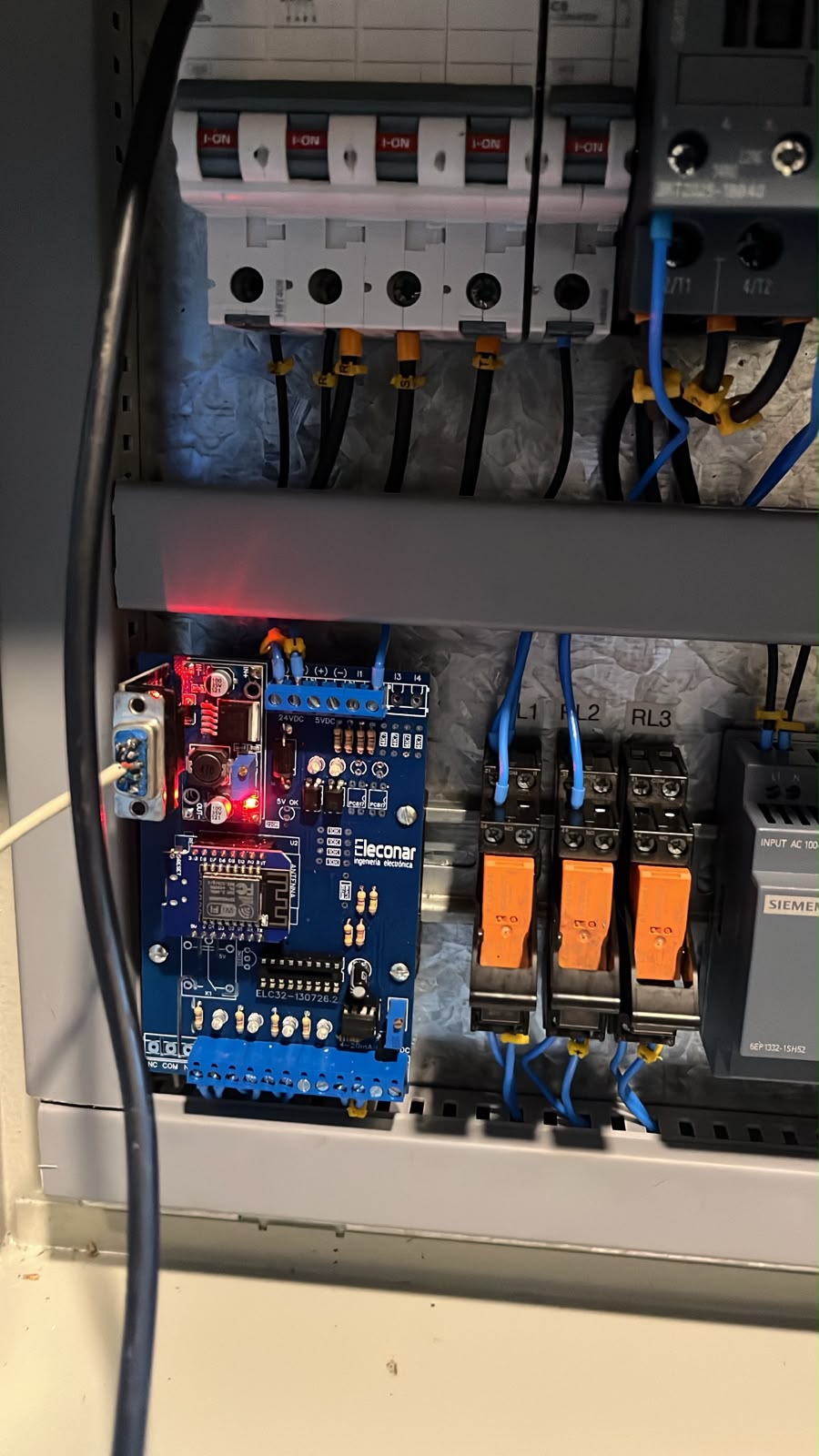
The connection starts on the factory floor. ELC boards capture signals from your equipment and send them to ELCware, where your team can review them.
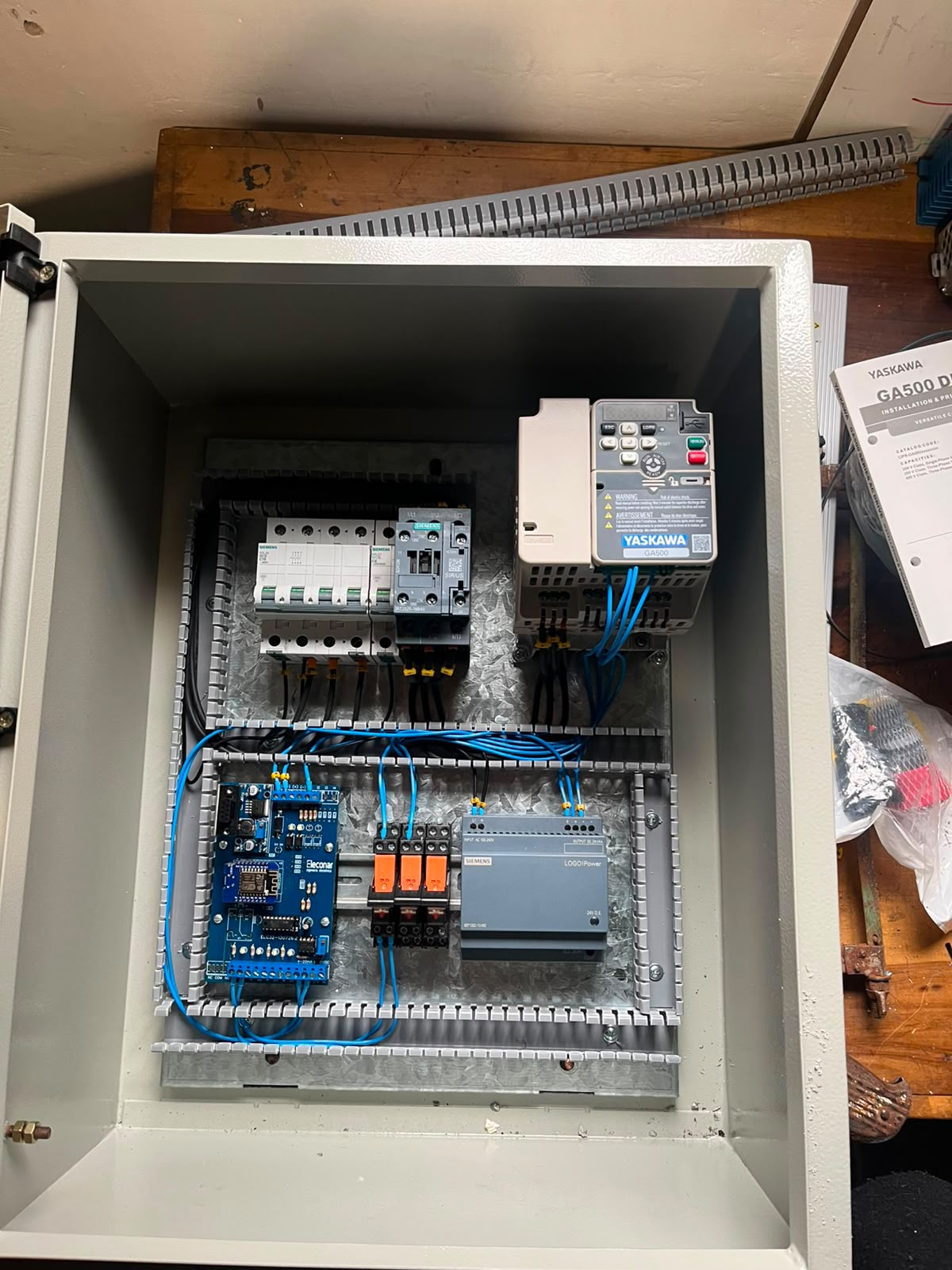 See the complete cabinetEnlarge image ↗
Generate the signals.
Captures and transmits.
Brings readings and indicators together.
Reviews and decides.
03 / One plant, different decisions
Management
A shared view of operations to choose what to review first.
Production
Status, readings and downtime to follow machines throughout the day.
Engineering and maintenance
History, recorded reasons and comparisons to guide your review.
04 / Start with your plant
Every machine and process is different. We review the available signals and work with you to define how your data can reach ELCware.
Your equipment, signals and monitoring needs.
The ELC board installation for each machine.
The readings and indicators your team will review.
We first review your equipment and available signals to determine how it can connect. Compatibility is assessed for each case.
Status, connectivity, readings and comparisons. Available downtime history, reasons and indicators depend on your solution’s configuration.
The ELCware platform and ELC boards for capturing machine data, with an implementation defined for your plant.
Production orders are planned for a future stage of the product. Today ELCware focuses on monitoring, history and operating indicators.
ELCware / Your next step
Bring a question from your plant. See ELCware in a demo and discuss how it could work with your machines.
Request a demoContact Eleconar directly on WhatsApp.